
Prerequisites
Preset is a managed service so most of the deployment requirements are handled by them. You will only need:- To register a Preset account.
- To have a Firebolt account and service account credentials.
- Load data you want to visualise.
Make sure that your service account’s network policy allows connections from Preset IPs.
Quickstart
Create a workspace
A workspace is an organizational unit, accessible by team members, that is created for a specific purpose. You can read Preset’s guidance on workspaces to learn more.-
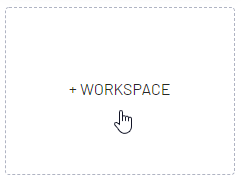
To Create a Workspace, navigate to the empty card and select + Workspace.
-
Define Workspace name and settings
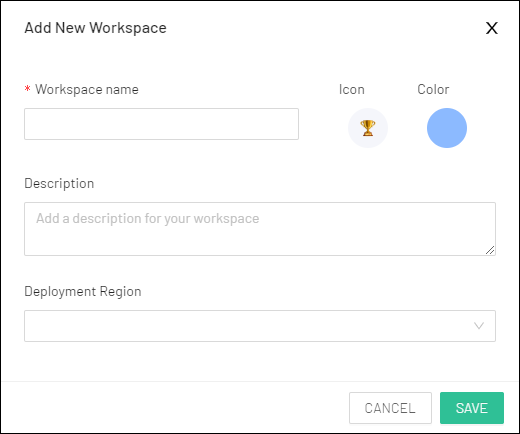
- Save the workspace and enter it by clicking the card.
Setup Firebolt connection
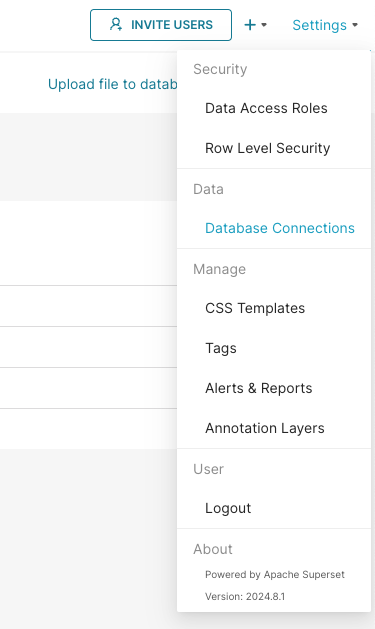
After the initial setup in Preset User Inteface head to theSettings -> Database connections in the top right corner.
 On the next screen, press the
 + Database button and select Firebolt from the dropdown.
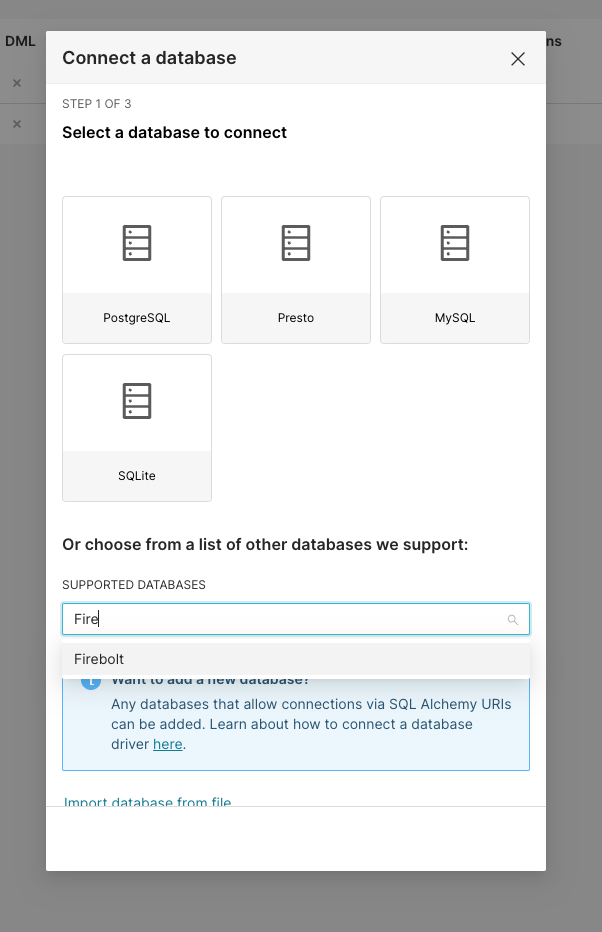 The connection expects a SQLAlchemy connection string of the form:
client_id and a client_secret.
Learn how to generate an ID and secret here.
Account name must be provided, you can learn about accounts in Manage accounts section.
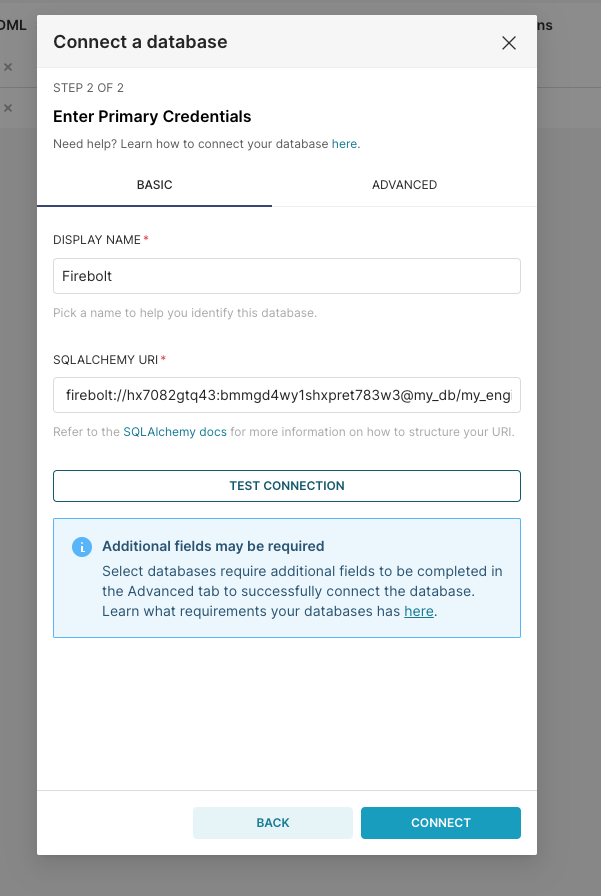 Click the Test Connection button to confirm things work end to end. If the connection looks good, save the configuration by clicking the Connect button in the bottom right corner of the modal window.
Now you’re ready to start using Preset!
Click the Test Connection button to confirm things work end to end. If the connection looks good, save the configuration by clicking the Connect button in the bottom right corner of the modal window.
Now you’re ready to start using Preset!